> ## Documentation Index
> Fetch the complete documentation index at: https://docs.cedarai.com/llms.txt
> Use this file to discover all available pages before exploring further.
# Getting Started
> Sign in, choose your carrier, and learn the basics of the Admin Portal.
This guide helps new admins get into the portal quickly and confidently.
## Quick start
Go to **[https://admin.cedarai.com](https://admin.cedarai.com)** and sign in with your Cedar account.
Use the same credentials you use for other Cedar applications.
Your work happens within a **carrier** (the rail operator or business you manage).
1. Look at the top of the left sidebar
2. Confirm you see your carrier name (e.g., **TRLDBLKDRY**)
3. If you don't see the right carrier, contact your Cedar admin or Support
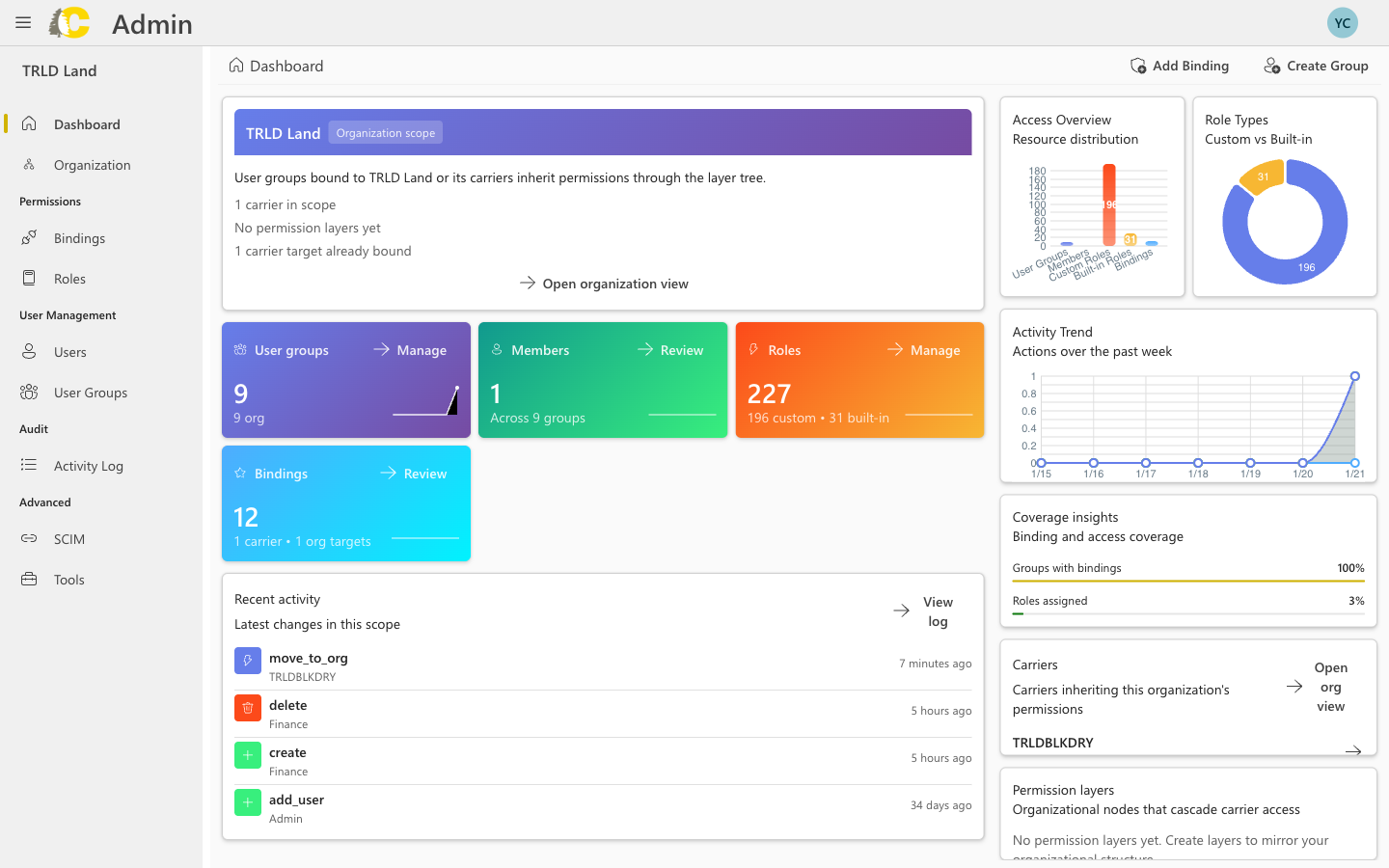 Use the left sidebar to access different sections:
| Section | What it's for |
| ---------------- | ----------------------------------- |
| **Users** | Add or manage people |
| **User Groups** | Organize people by team |
| **Roles** | Define what each group can do |
| **Bindings** | Connect a group to a role and scope |
| **Activity Log** | Review recent changes |
## Best practices
Double-check before you save any changes. There's no "draft" mode—your changes take effect right away.
If you're unsure where to begin, start with **User Groups** and **Roles** before creating **Bindings**. This makes it easier to manage access at scale.
Always assign access through groups instead of directly to individual users. This makes it much easier to manage access when team members change.
## Next steps
Manage individual accounts
Organize teams
Define permissions
Grant access
Use the left sidebar to access different sections:
| Section | What it's for |
| ---------------- | ----------------------------------- |
| **Users** | Add or manage people |
| **User Groups** | Organize people by team |
| **Roles** | Define what each group can do |
| **Bindings** | Connect a group to a role and scope |
| **Activity Log** | Review recent changes |
## Best practices
Double-check before you save any changes. There's no "draft" mode—your changes take effect right away.
If you're unsure where to begin, start with **User Groups** and **Roles** before creating **Bindings**. This makes it easier to manage access at scale.
Always assign access through groups instead of directly to individual users. This makes it much easier to manage access when team members change.
## Next steps
Manage individual accounts
Organize teams
Define permissions
Grant access