

A binding is the access grant. It connects three things: who (user group), what (role), and where (scope).
The binding formula
User Group
Who gets access
Role
What they can do
Scope
Where it applies
View existing bindings
Use the list to search by group, role, or resource. This is helpful for audits or troubleshooting access issues.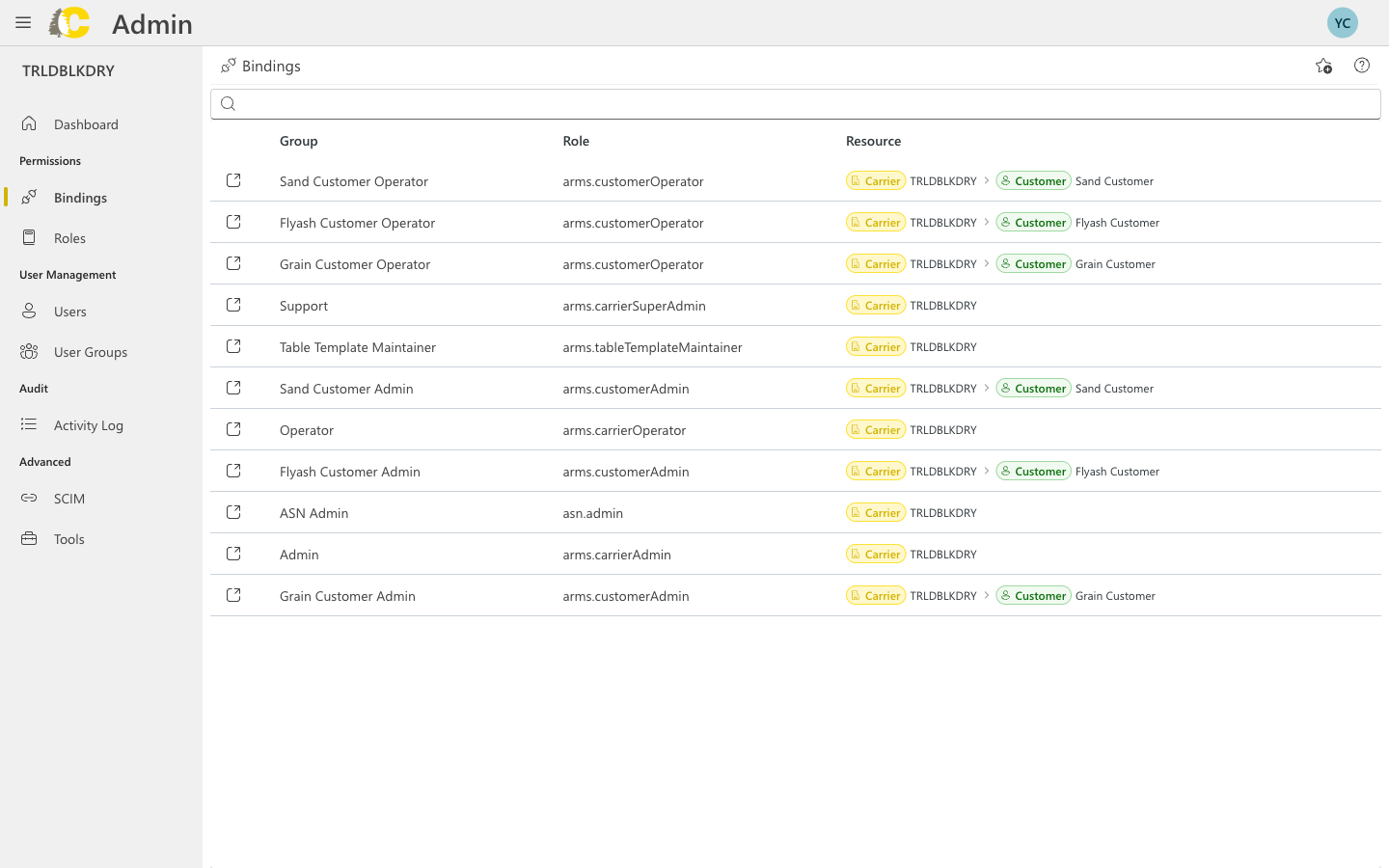
Create a new binding
Select the user group
Choose which group should receive access. If you haven’t created the group yet, do that first.
Select the scope
Choose where the access applies:
- Carrier — access to the entire carrier
- Customer — access limited to a specific customer
- Organization — access across multiple carriers
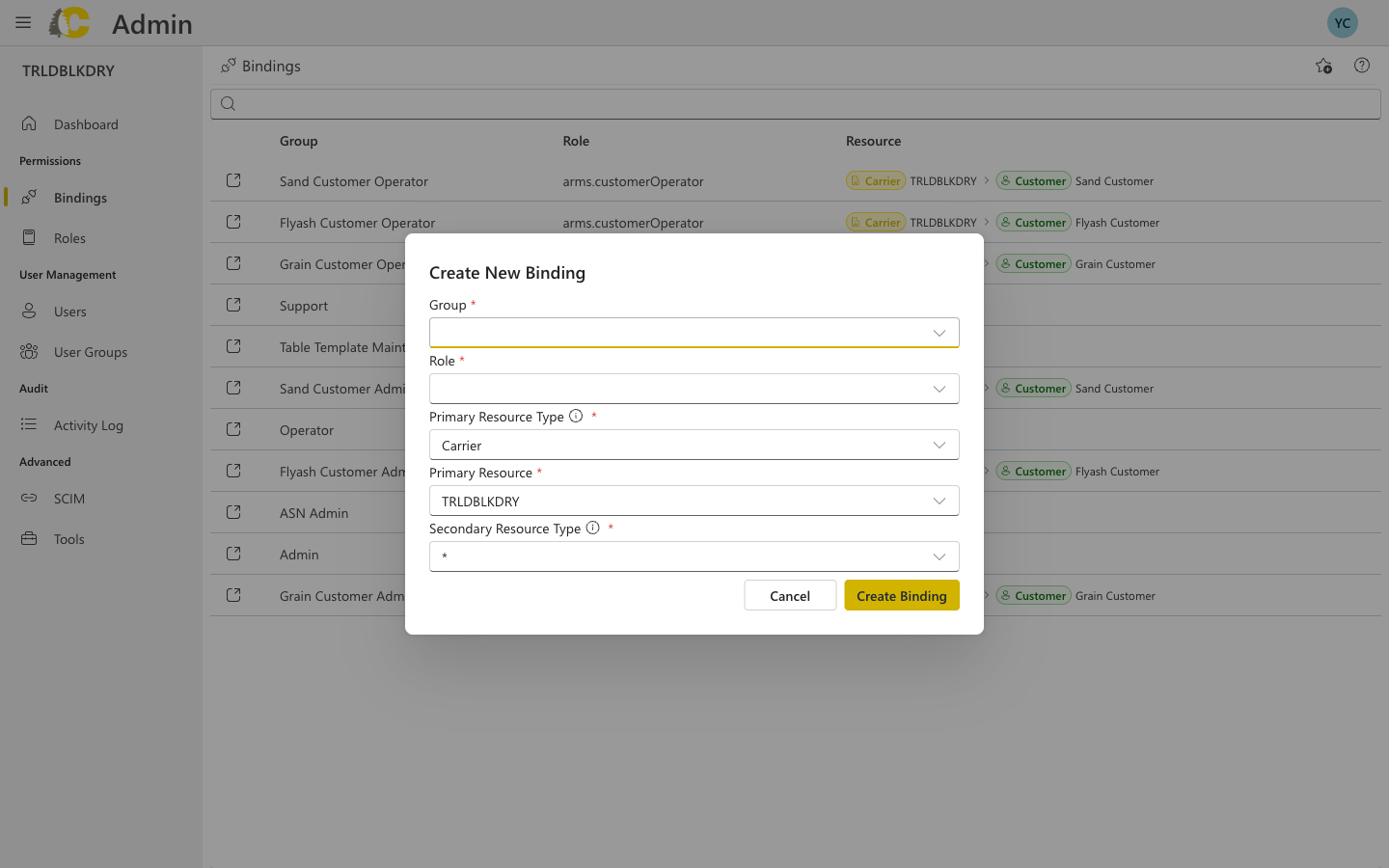
Dialog fields explained
| Field | Description |
|---|---|
| Group | The user group that will receive access |
| Role | The set of permissions to grant |
| Primary Resource Type | Usually “Carrier” — the main scope level |
| Primary Resource | The specific carrier (e.g., TRLDBLKDRY) |
| Secondary Resource Type | Optional narrower scope (e.g., Customer) |
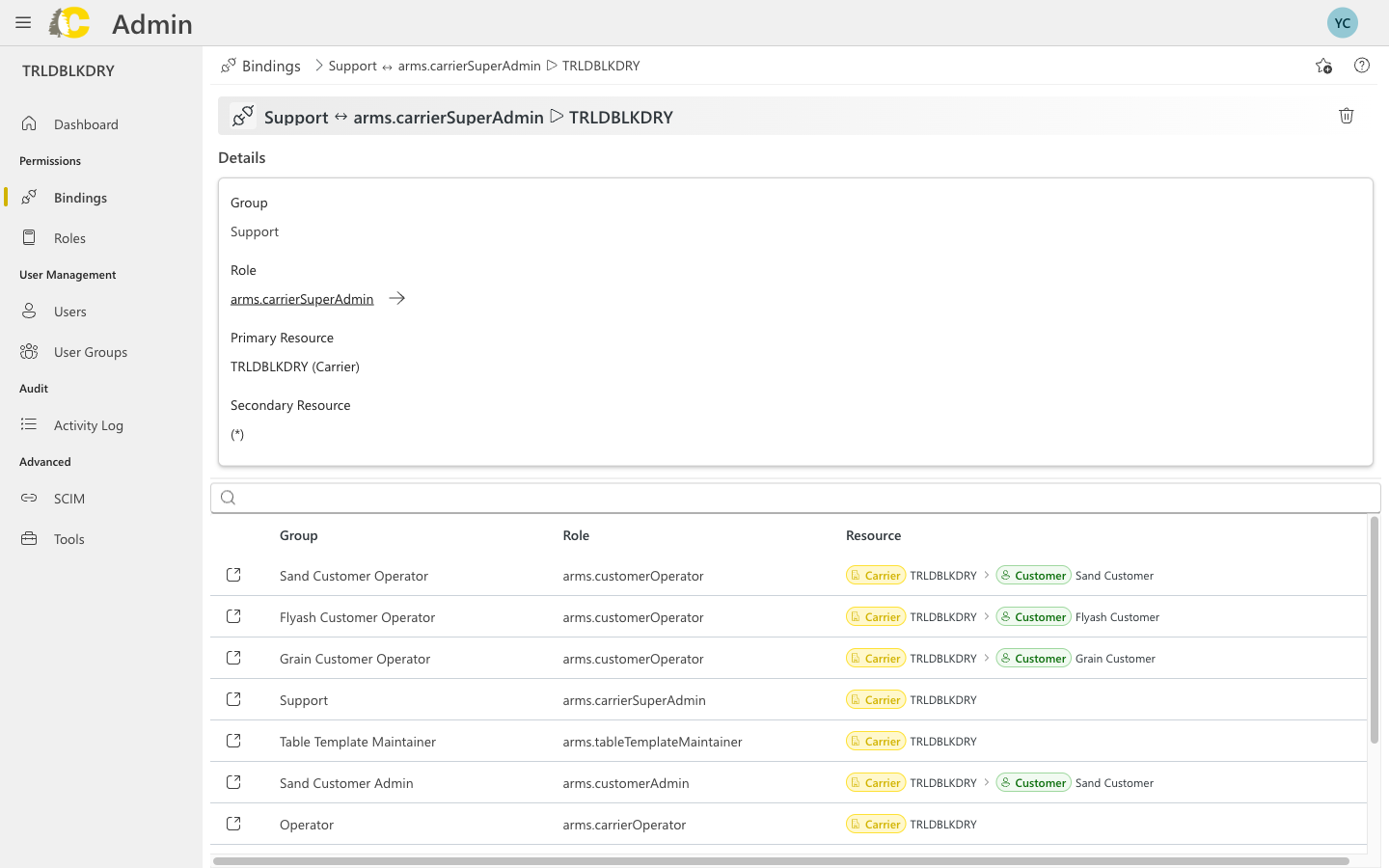
Binding details
Common mistakes
Wrong scope
Wrong scope
Picking Carrier scope when you meant Customer scope grants much broader access than intended. Always double-check the scope before saving.
| Scope | Access level |
|---|---|
| Customer | Limited to one customer’s data |
| Carrier | All data for the carrier |
| Organization | All carriers in the organization |
Wrong role
Wrong role
Linking a group to the wrong role (e.g., Admin instead of Operator) can grant too much access. Review role permissions before creating bindings.
Duplicate bindings
Duplicate bindings
Creating multiple bindings with the same group/role but different scopes is sometimes intentional, but can also be confusing. Document why you need multiple bindings.
Changes to bindings take effect immediately. There’s no undo button, so review carefully before saving.
Best practices
- Least privilege
- Use groups
- Document intent
Grant the minimum access needed. It’s easier to add permissions later than to clean up over-provisioned access.
Related: Admin Portal
User Groups
Create groups before binding
Roles
Understand what roles include
Activity Log
Review binding changes
Glossary
Quick term reference