

These advanced options will be available to all customers in a future release.
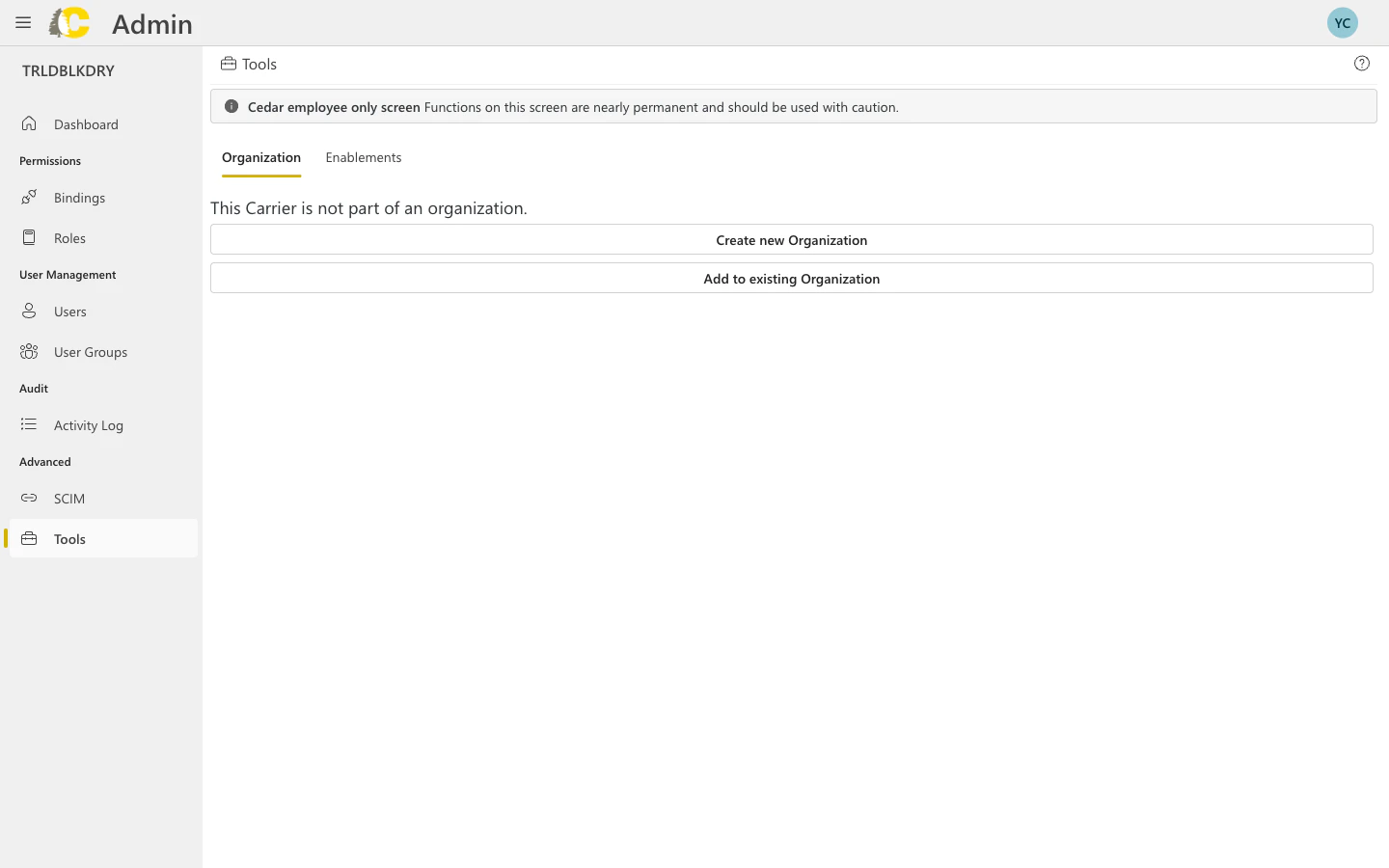
Available tools
- Organization
- Enablements
Manage how your carrier relates to organizations.Available actions:
- Create new Organization — set up a new organization that can contain multiple carriers
- Add to existing Organization — attach this carrier to an existing organization
Organizations allow you to manage multiple carriers under a single umbrella with shared settings and access controls.
API Key Management
Coming Soon — API key management will be available in a future release of the Admin Portal. The information below describes the planned functionality.
Create an API key
Add a description
Enter a clear description so you know what this key is for.Good descriptions:
- “Production ERP integration”
- “Development testing - John’s team”
- “Warehouse management system sync”
Configure security
Set up security options:
- IP allowlist — restrict which IP addresses can use this key
- Expiration — set when the key should automatically expire
- Scopes — limit what the key can access (if available)
API key best practices
Use descriptive names
Use descriptive names
Anyone reviewing API keys should understand what each key is for without having to ask.
Set expiration dates
Set expiration dates
Keys that don’t expire are a security risk. Set reasonable expiration dates and rotate keys regularly.
Use IP allowlists
Use IP allowlists
When possible, restrict API keys to specific IP addresses. This limits damage if a key is compromised.
Revoke unused keys
Revoke unused keys
Regularly audit your API keys and revoke any that are no longer in use.
One key per integration
One key per integration
Create separate keys for each integration or system. This makes it easier to revoke access without affecting other systems.
When to contact Support
Organization changes
Before creating or modifying organization structures
Feature enablements
If you’re unsure about enabling/disabling features
API key issues
If you need help with API key configuration
Cedar employee screens
If you see a warning about restricted functions
Related pages
Organization Management
Manage your organization hierarchy and layers
API Documentation
Learn how to use the Cedar API
Activity Log
Review changes to settings
Glossary
Key terms explained