

A role is a named set of abilities (permissions). Roles are assigned to groups through bindings to grant access.
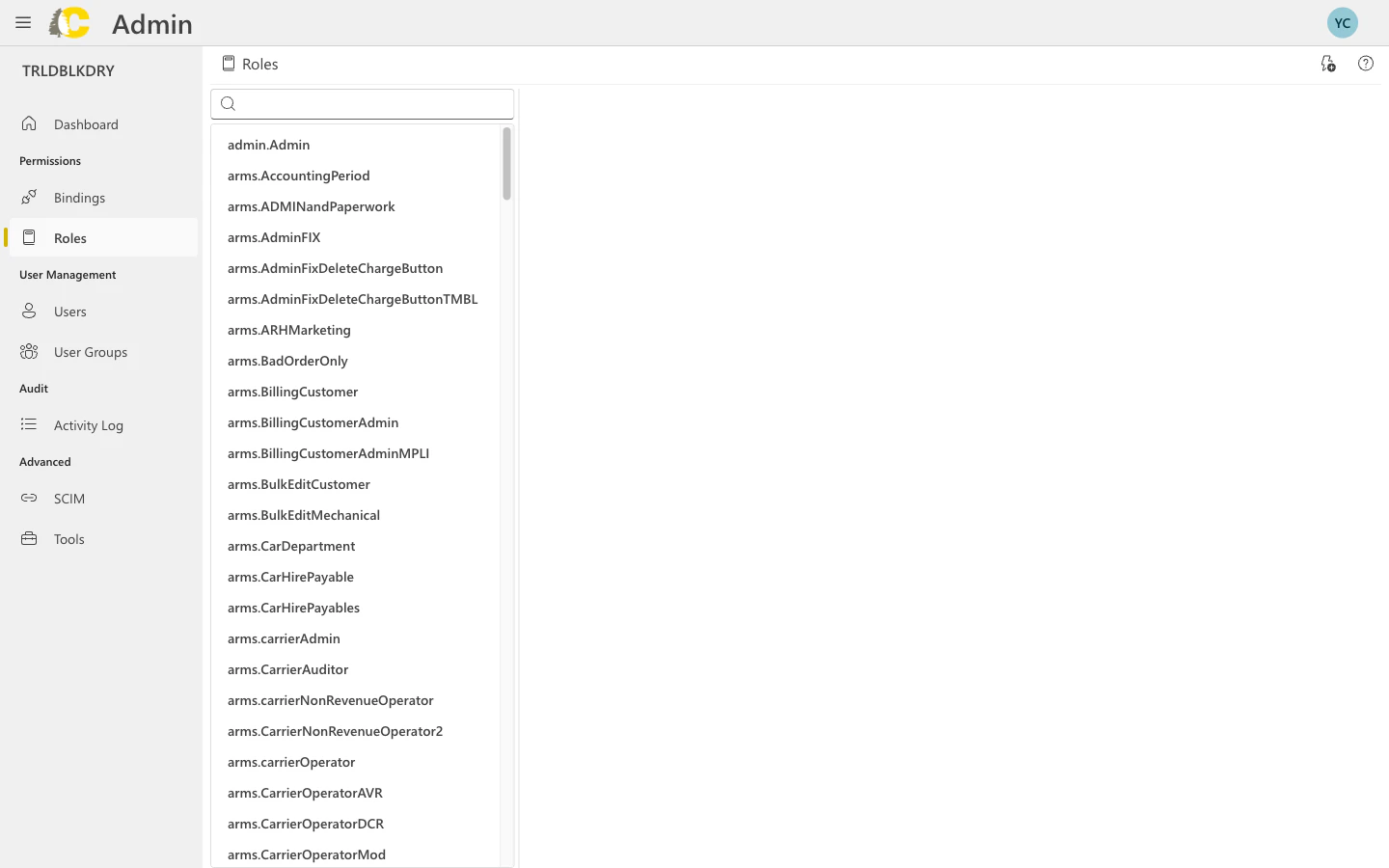
Types of roles
- Built-in roles
- Custom roles
Cedar provides built-in roles for common jobs. These are maintained by Cedar and cover typical use cases.Examples:
arms.carrierAdmin— Full carrier administrationarms.carrierOperator— Day-to-day operationsarms.customerAdmin— Customer-level administration
Find and review roles
Role details
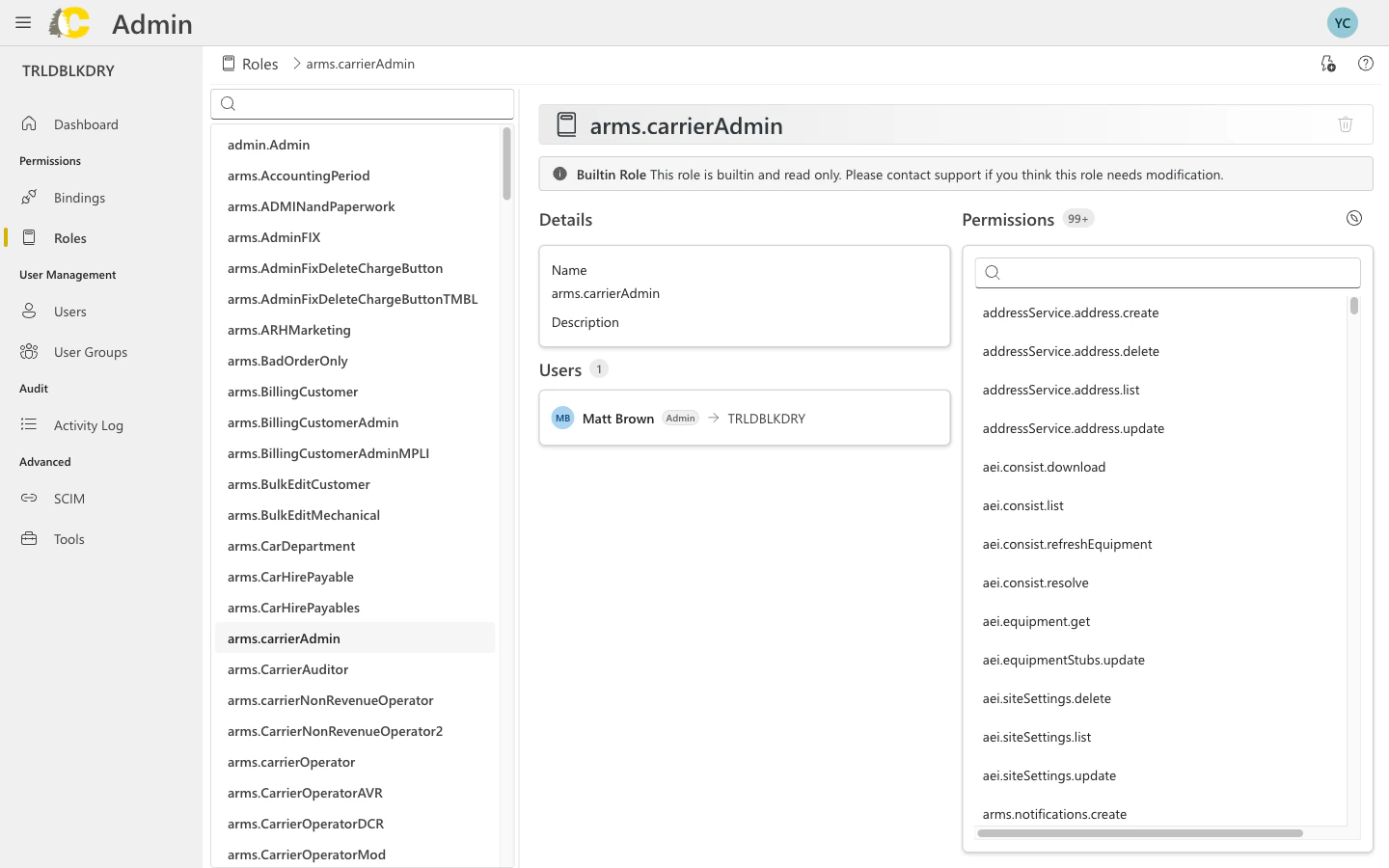
Edit role permissions
Click on any role to view and edit its permissions. The permissions panel shows all the capabilities included in the role.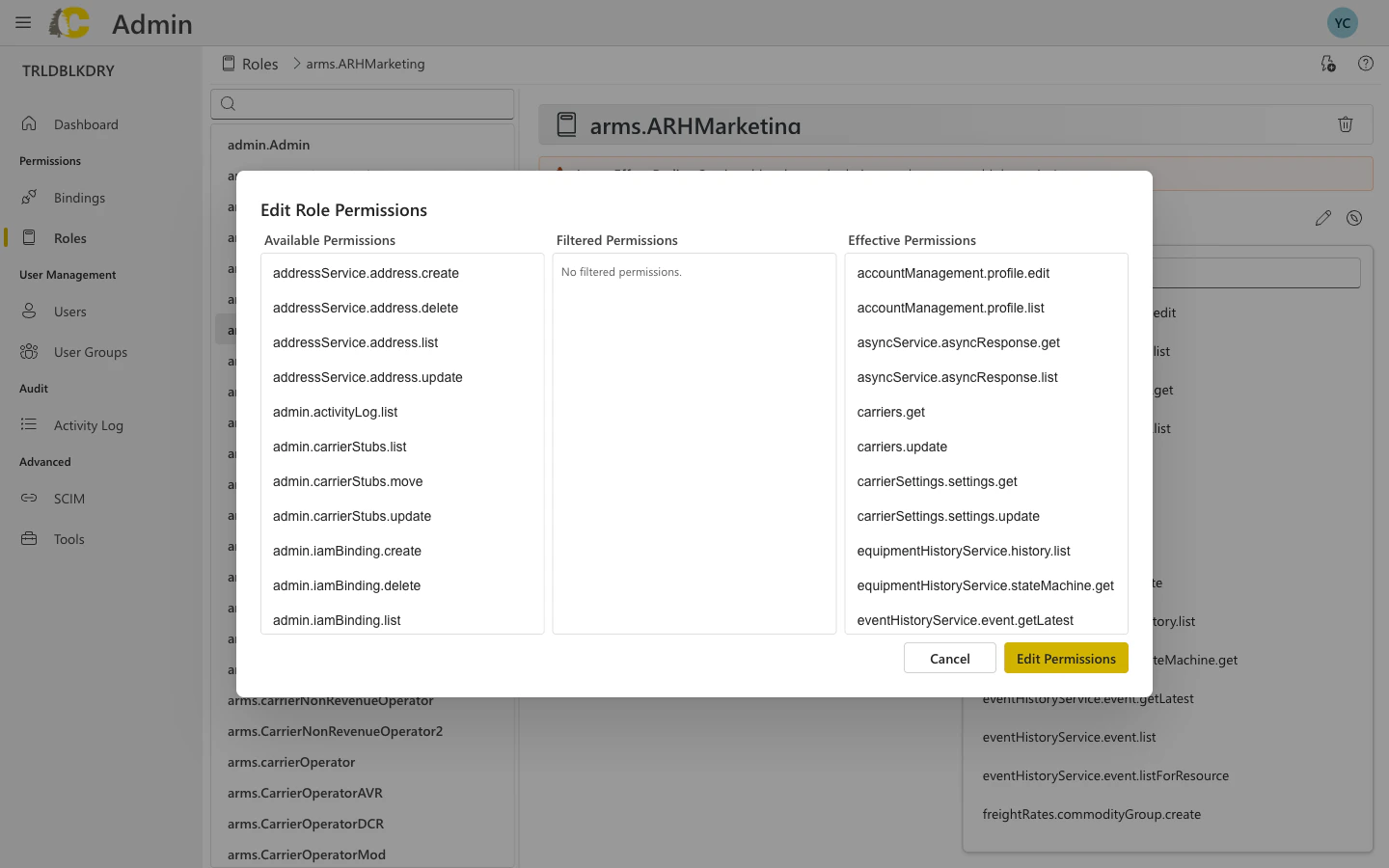
- Role name and parent — the role’s identity and inheritance
- Permission list — all permissions included in this role
- Permission groups — permissions organized by feature area
Create a custom role
Name and describe
Give your role a clear name and description. The name should indicate what the role allows.
| ✅ Good | ❌ Avoid |
|---|---|
| Inventory Viewer | Custom Role 1 |
| Billing Read-Only | John’s Permissions |
Select permissions
Choose the specific permissions this role should include. Only select what’s needed.
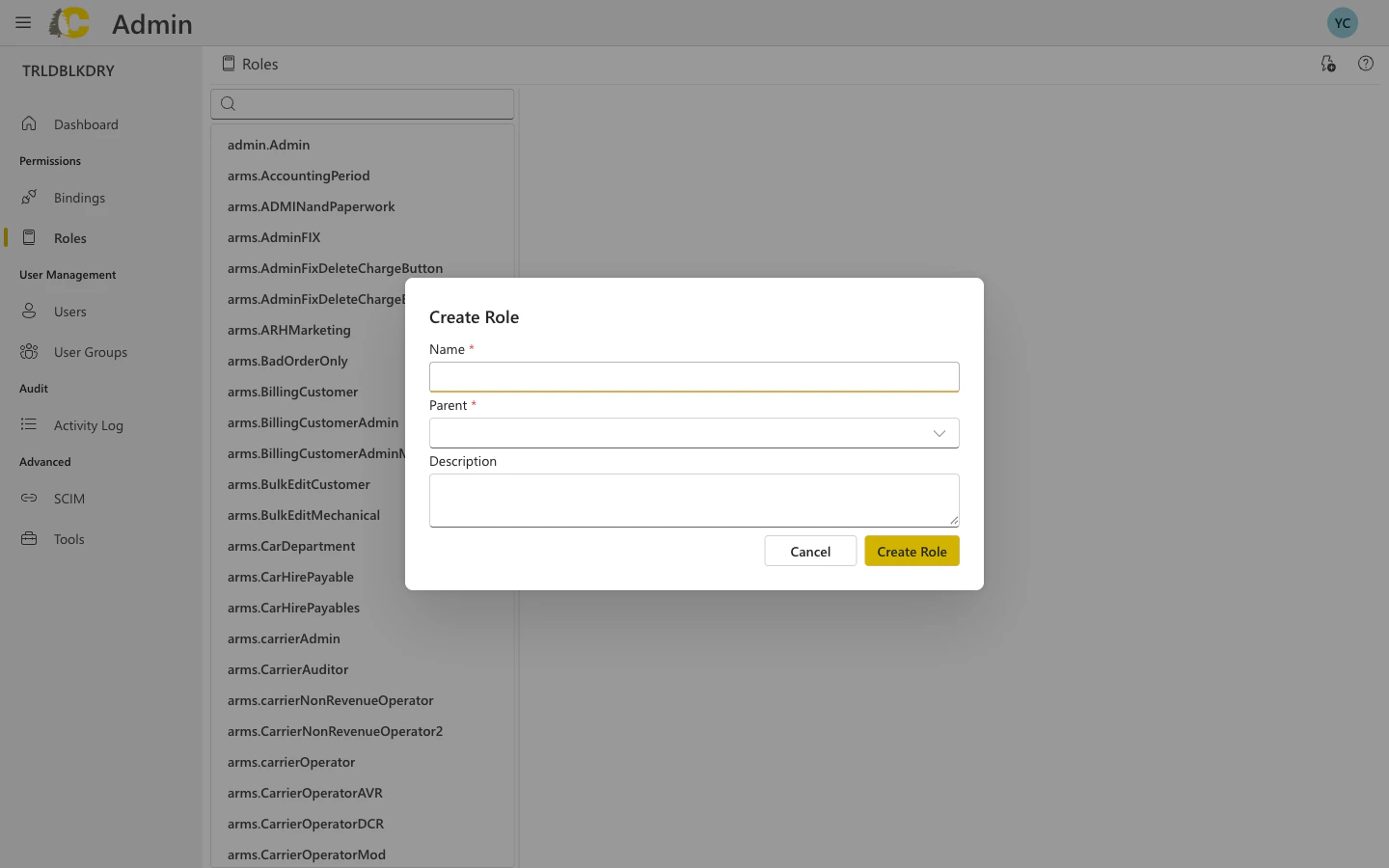
Dialog fields explained
| Field | Required | Description |
|---|---|---|
| Name | Yes | Unique identifier for the role (e.g., mycompany.inventoryViewer) |
| Parent | Yes | The parent role this role inherits from |
| Description | No | Brief description of what this role allows |
Best practices
Start with built-in roles
Start with built-in roles
Built-in roles cover most common scenarios. Only create custom roles when you have a specific need that isn’t met.
Keep roles focused
Keep roles focused
Each role should represent a clear job function. If you find yourself adding unrelated permissions, consider creating multiple roles instead.
Use descriptive names
Use descriptive names
Anyone should be able to understand what a role does from its name. Include the resource type and action level (e.g., “Inventory Editor”, “Billing Viewer”).
Document custom roles
Document custom roles
For custom roles, add a clear description explaining what the role is for and who should have it.
Related: Admin Portal
Bindings
Connect roles to groups
User Groups
Manage the teams that get roles
Glossary
Key terms explained
Activity Log
Track role changes
Related: IAM Concepts
Policies & Roles
How roles fit into the IAM policy model
IAM Concepts
Deep dive into permissions and conditions
Customer Portal
Customer-specific role examples
IAM Overview
The big picture of access control