

A binding is the access grant. It connects three things: who (user group), what (role), and where (scope).
The binding formula
User Group
Who gets access
Role
What they can do
Scope
Where it applies
View existing bindings
Use the list to search by group, role, or resource. This is helpful for audits or troubleshooting access issues.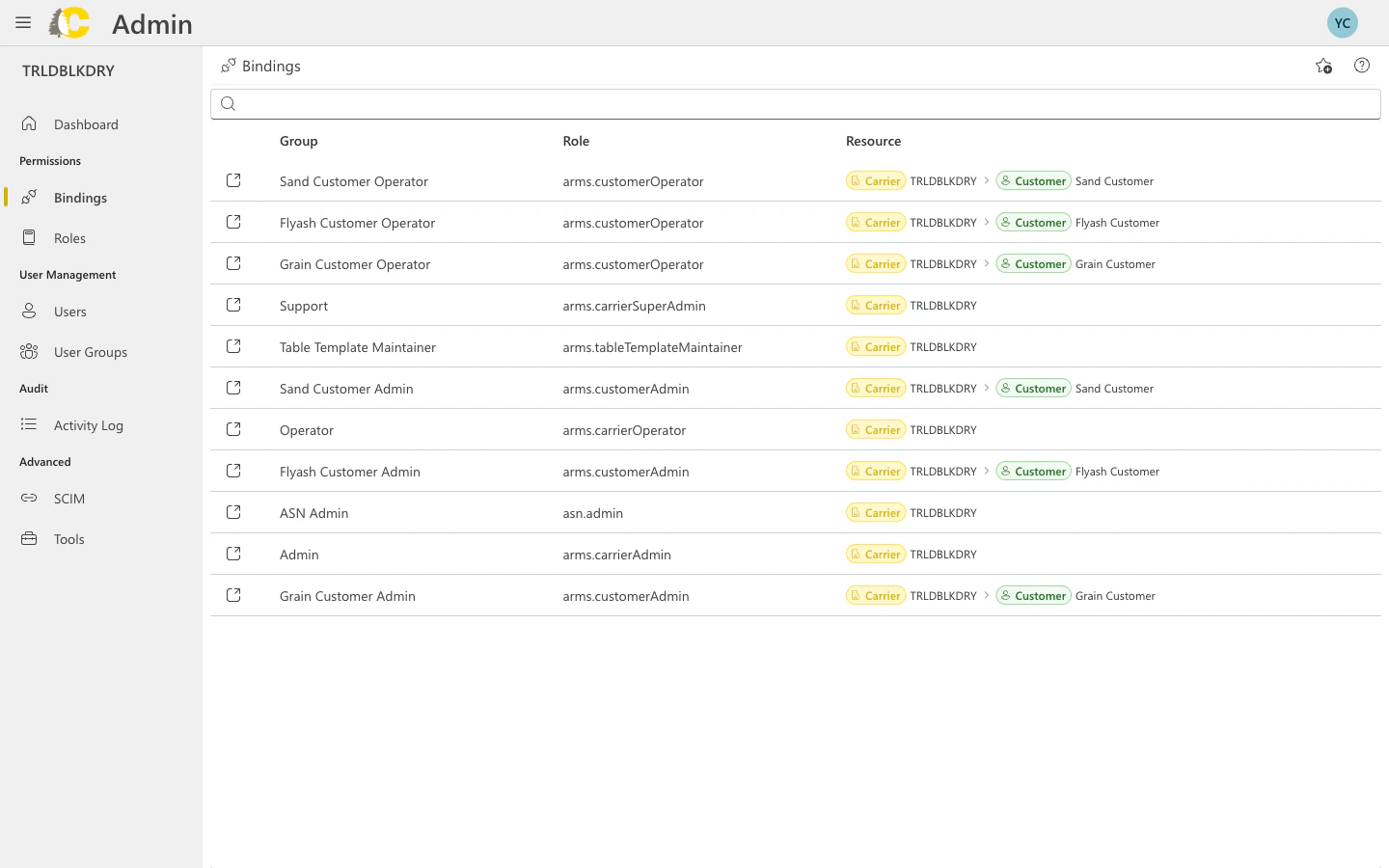
Bindings list showing groups, roles, and resources
Create a new binding
Click Add Binding
From the Bindings page or Dashboard, click Add Binding.
Select the user group
Choose which group should receive access. If you haven’t created the group yet, do that first.
Select the role
Choose what the group can do. Pick a built-in role or a custom role you’ve created.
Select the scope
Choose where the access applies:
- Carrier — access to the entire carrier
- Customer — access limited to a specific customer
- Organization — access across multiple carriers
Save
Review your selections and save. The binding takes effect immediately.
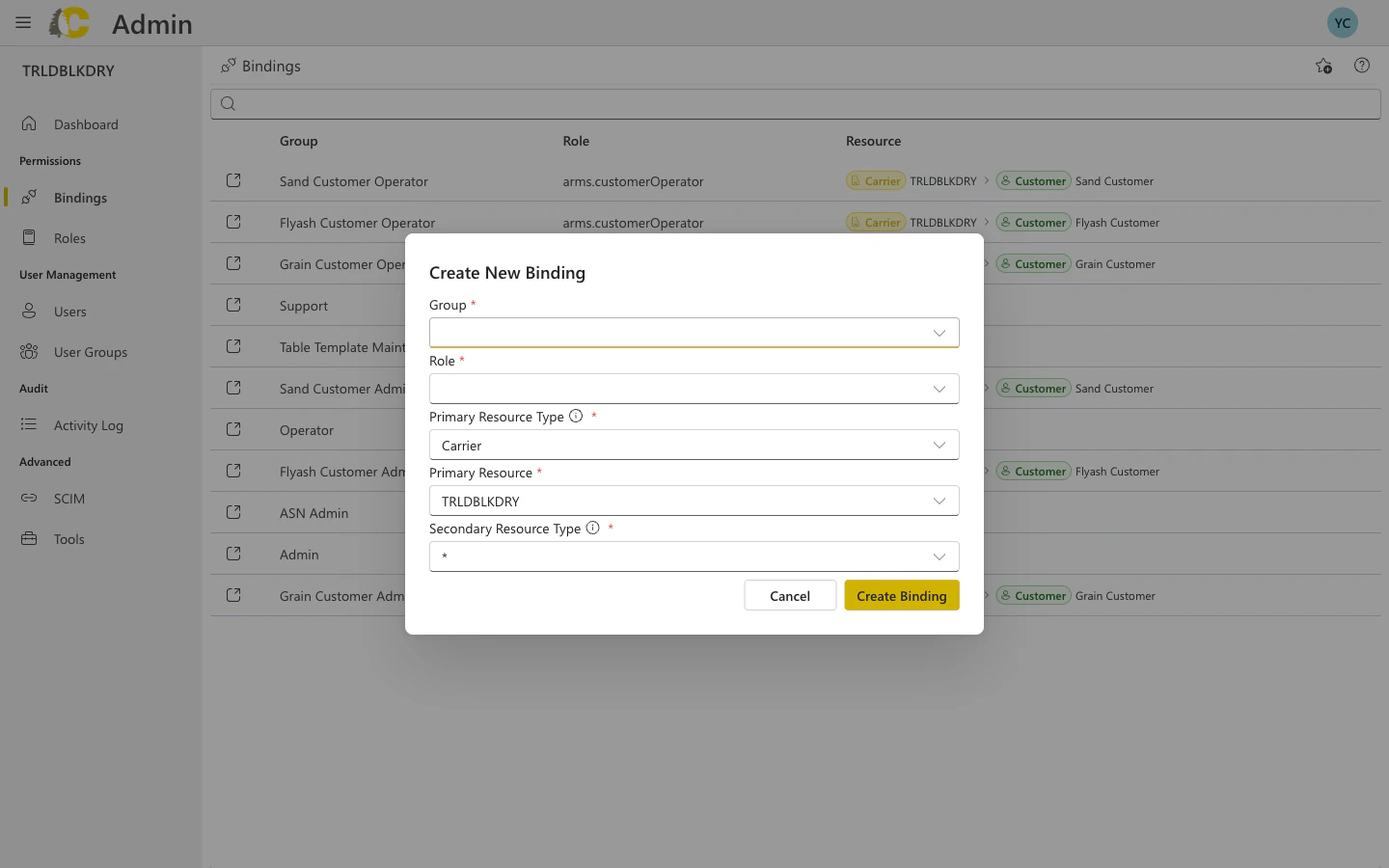
Create New Binding dialog
Dialog fields explained
Binding details
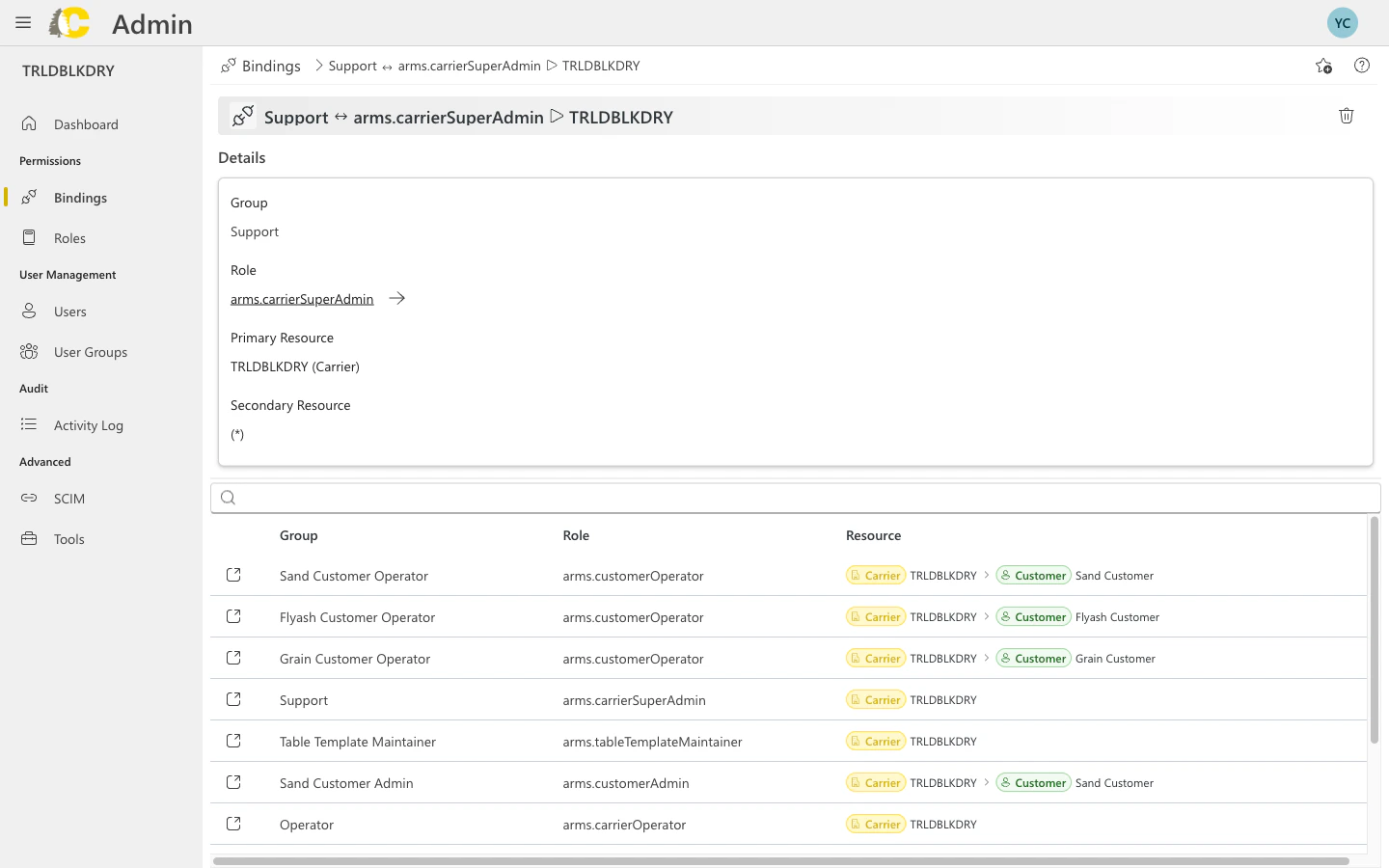
Binding detail view
Common mistakes
Wrong scope
Wrong scope
Picking Carrier scope when you meant Customer scope grants much broader access than intended. Always double-check the scope before saving.
Wrong role
Wrong role
Linking a group to the wrong role (e.g., Admin instead of Operator) can grant too much access. Review role permissions before creating bindings.
Duplicate bindings
Duplicate bindings
Creating multiple bindings with the same group/role but different scopes is sometimes intentional, but can also be confusing. Document why you need multiple bindings.
Changes to bindings take effect immediately. There’s no undo button, so review carefully before saving.
Best practices
- Least privilege
- Use groups
- Document intent
Grant the minimum access needed. It’s easier to add permissions later than to clean up over-provisioned access.
Related: Admin Portal
User Groups
Create groups before binding
Roles
Understand what roles include
Activity Log
Review binding changes
Glossary
Quick term reference
Related: IAM Concepts
IAM Concepts
Deep dive into identities, resources, and permissions
Policies & Roles
How bindings create policies
Resource Hierarchy
Understanding scope inheritance
Customer Portal
Granting customer access with bindings