

The dashboard gives you a quick snapshot of access across your organization or carrier. It’s the fastest way to see what’s set up and what might need attention.
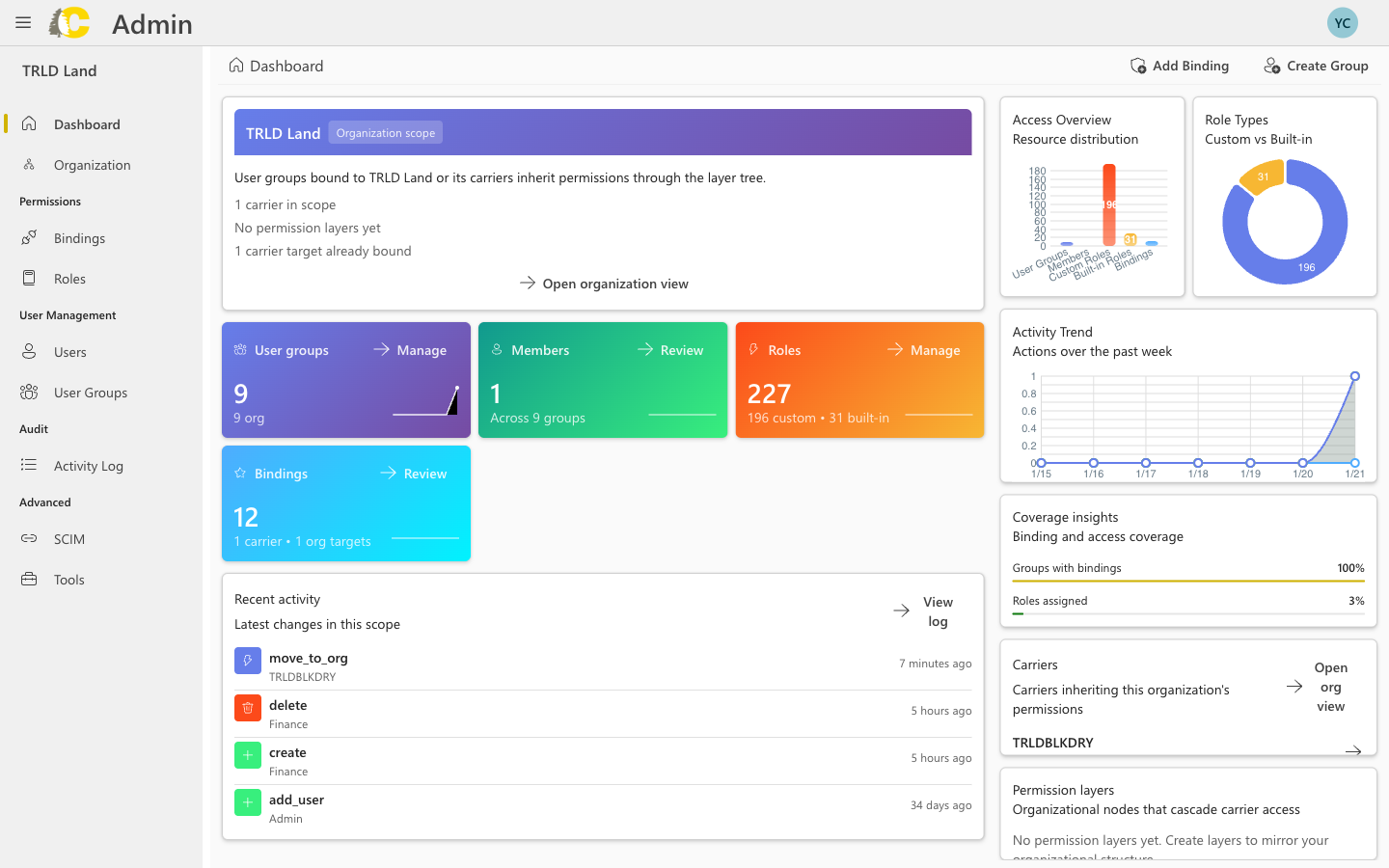
Admin Portal dashboard with organization scope, access metrics, and activity
Organization scope (optional)
Organizations are an optional feature for accounts managing multiple carriers. If you don’t see the organization scope section, your account uses single-carrier mode.
- The organization name
- Number of carriers in scope
- Permission layers configured
- Carrier bindings
At a glance
User Groups
Teams with access
Members
People across groups
Roles
Permission sets
Bindings
Active access grants
What you can do
- Review metrics
- Check activity
- Quick actions
See how many user groups, members, roles, and bindings exist at your carrier. The charts show the distribution between custom and built-in roles.
When to use the dashboard
Checking new team setup
Checking new team setup
Quickly verify that access is configured for a new team by checking the metrics and recent activity.
Confirming recent changes
Confirming recent changes
After making changes, return to the dashboard to confirm they appear in the activity feed.
Finding quick paths
Finding quick paths
Use the dashboard as a launchpad to jump directly to Bindings, User Groups, or Roles.
Next steps
Organization
Manage organization hierarchy
Bindings
Grant access to groups
User Groups
Manage teams
Roles
Review permission sets